Reuse your media
Keep images, files, and PDFs on your shelf. Finder files stay in their original folders; browser imports are saved as local copies.
Launch preparation preview. Purchases and public downloads are not open yet.
A small shelf for the things you reuse
Hover at your screen edge. Grab a logo, a link, or a text snippet. Drag it where you need it, or click to copy.
Apple Silicon · macOS 13 or later · One-time purchase
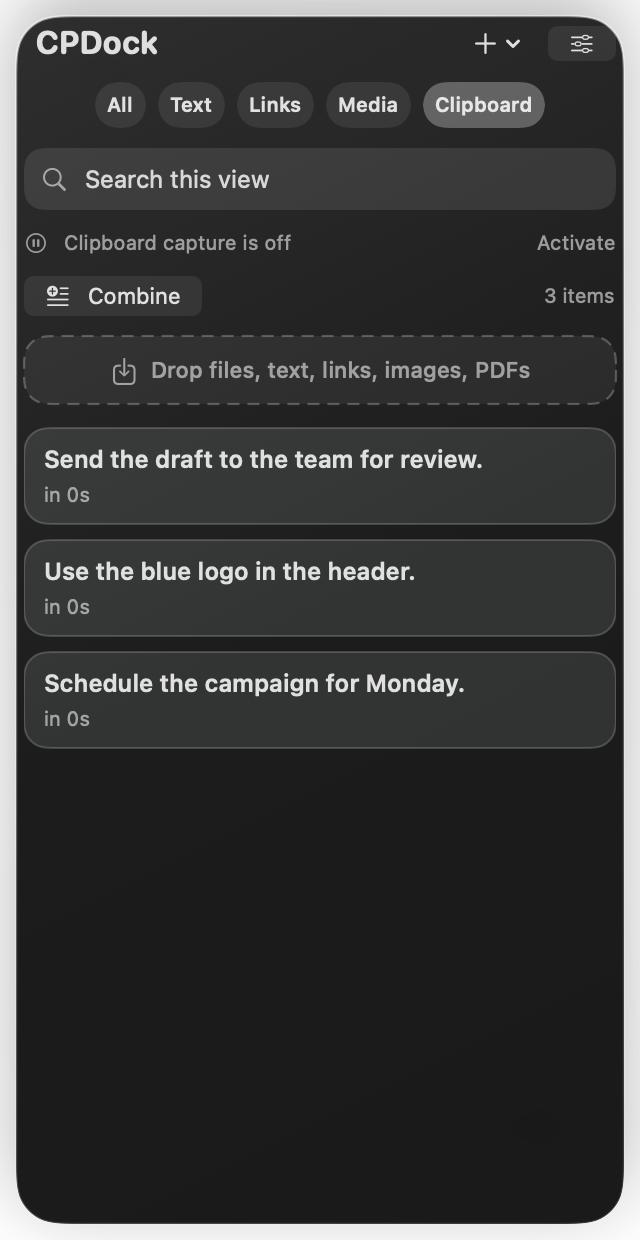
Native Mac interface. Example content.
Keep images, files, and PDFs on your shelf. Finder files stay in their original folders; browser imports are saved as local copies.
Select text copies to combine them instantly, ready to paste. Split a list into separate Clipboard items.
Drop a browser image to save its image and source link. A YouTube video link can also bring its available thumbnail.
Pro keeps a rolling clipboard history and puts the ten latest text and link copies in the menu bar.
A translucent dot opens your shelf. Choose the left or right edge, adjust the position, and set your reveal and hide delays.
Clipboard capture starts when you enable it. Pause capture, clear history, or save an item to your shelf. Clipboard content is stored on your Mac.
Automatic clipboard history and the quick ten-copy menu. Activate on up to three personal Macs. Basic shelf, drag, Combine, Split, and media import tools stay available without activation. Internet access is needed for activation and periodic license renewal, with up to seven days of verified offline access.
Price in USD before any applicable tax. Future major-version pricing is not promised.
No CPDock account is required. Clipboard content is not sent to the license service. Explicit web drops request the image from its host.
Release checksum available at launch